If you've been here before, you'll notice things look a bit different! I rebuilt the whole design from scratch — cleaner layout, better typography, and a proper dark mode. I did the same for my personal site last week, and it was about time the blog got the same treatment.
The old design had been running for almost ten years on Skeleton CSS with a dark mode toggle bolted on and a lot of custom CSS piled up over the years. It worked, but it was getting messy and hard to maintain.
The site was already on Astro, so the heavy lifting was really just the design layer: I replaced all the old CSS with Tailwind CSS v3 and a proper light/dark colour token system, so switching themes is now just a single class on the html element with no annoying flash on load.
The content stays the same, though—hope you enjoy the new look!
TL;DR: This is going to be a long post about the several iterations this blog has gone through, explaining how I recently finished migrating it to Astro.
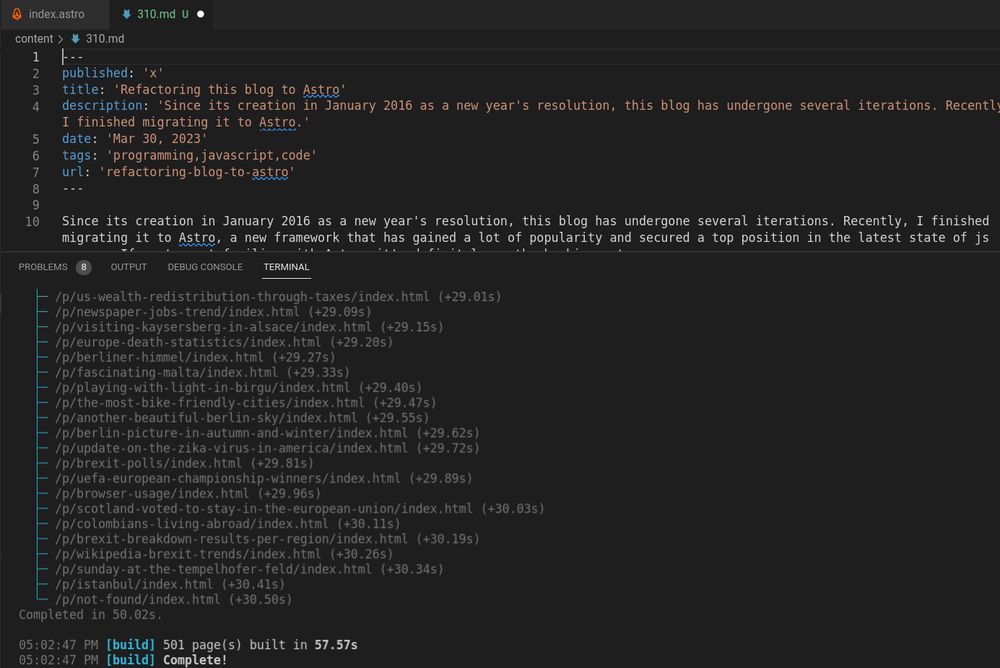
Since its creation in January 2016 as a new year’s resolution, this blog has undergone several iterations. Recently, I finished migrating it to Astro, a new framework that has gained a lot of popularity and secured a top position in the latest State of JS survey. If you’re not familiar with Astro, it’s definitely worth checking out. The objective of this post is to describe the rationale behind choosing Astro for this project and my overall experience with the migration.
Astro on the map
Last January when the “State of JS” survey was released, I was eager to read it as usual. As I explained in a post some months ago, this online survey has been running since 2016, collecting and analyzing data from JS developers, and it is definitely a valuable tool for detecting current trends in the JS ecosystem and identifying upcoming ones.
One of the points that caught my attention in this issue, in the Rendering Frameworks section, was the popularity of “Astro”. In just one year, this young project has doubled the interest expressed by developers, so I decided to investigate a little more why it was so popular.
In the official documentation Astro defines itself as “an all-in-one web framework for building fast, content-focused websites.” But one of the key selling points is in the features section: “UI-agnostic: Supports React, Preact, Svelte, Vue, Solid, Lit and more.”. Perfect! That was exactly what I was looking for!
Evolution and why Astro
As previously mentioned, I started this blog in 2016 as a New Year’s resolution. Back then, I opted to use Google Spreadsheets as a “poor man’s” CMS due to its convenience in configuring various blog fields and preserving blog content, while also obtaining a nice JSON response. However, as time passed, the API response underwent changes, prompting me to create a small wrapper to align with the previous response format.
On the other hand, like many other developers around the world, I had the opportunity to work on a couple of projects with the amazing next.js framework, and while I was browsing some of the documentation and examples, I stumbled upon the very useful gray matter npm package.
To put it simply, this package enables you to consolidate both data and metadata into a single text file by utilizing a “matter” section at the beginning of the file, which can then be transformed into a JSON object.
As I was already crafting my posts in markdown format and generating JSON file outputs in my previous Spreadsheets version, it was a straightforward task for me to migrate all of my posts into separate markdown files using this package, and then I could combine these MD files into a single JSON file to be used as the “source” of this blog.
This was my approach for a period of time: I continued to utilize the same node.js express application, but with an alternate “static” JSON source that I could regenerate whenever necessary. However, given that this blog is essentially a static website, I had always entertained the notion of transitioning to a fully static site.
When I came across the Astro documentation, I was immediately convinced, because it aligned seamlessly with the problems I was attempting to address:
To serve this blog fully static.
To make the code more maintainable.
To use a modern framework.
To keep the existing look and feel (and reuse the CSS styles as much as possible).
To reuse some of the existing vanilla JavaScript code.
To add some nice reusable React components I had used in some other projects.
To keep the nice JSX syntax I'm used to working with in React and Next.js.
Experience
Having spent a week on this migration, my general perception as a developer is highly favorable. Throughout the project, I found Astro to be remarkably versatile and capable of supporting the reuse of existing code, adding custom styles, and allowing component integration from other projects.
It is clear that the project is moving fast because some of the documentation I found on the internet was already outdated, but I found the official documentation to be of high quality overall. Most of my questions were promptly resolved through the official site without any problem.
I jump-started the project using the recommended npm create astro and adapted the generated template to my needs.
In the Project Structure Section the official documentation describes the purpose of the different parts of the application including Pages, Layouts and Components. I followed this recommended structure with a couple of additions:
I set up an additional `content` folder outside the src folder to put all my existing (and future new) `.md` blog posts.
I created a `utils` folder to place common utilities used across the different components and Astro pages.
Not including every single file, my final project looks more or less like this tree:
If you are familiar with next.js, the routing pattern associated with the pages directory will probably look familiar. On the other hand, Astro defines layouts as “Astro components used to provide a reusable UI structure, such as a page template.”
As discussed earlier, this migration was a really nice experience, and I would probably use Astro again for a static site!
Normally I don't write about programming topics on this blog, since I dedicate it more to pictures, maps, and charts, but a couple of days ago I was explaining to a colleague at work some parts of an internal tool in which we use React and functional programming.
And it is true that if you haven't had experience with JavaScript's higher-order functions map, filter & reduce, they might appear daunting at the beginning. But once you get used to them, you never look back! They are extremely useful for manipulating arrays and arrays of objects.
So the objective of this post is to explain all three of them using a simple example.
Data
Let’s create a quick array of objects with the top five movies of all time according to IMDb ratings:
const top5Movies = [ { "title": "The Shawshank Redemption", "rank": "1", "id": "tt0111161", "imdbrating": "9.3", "year": "1994", "genre": "Drama", "director": "Frank Darabont", "actors": "Tim Robbins, Morgan Freeman, Bob Gunton", "language": "English", "country": "United States" }, { "title": "The Godfather", "rank": "2", "id": "tt0068646", "imdbrating": "9.2", "year": "1972", "genre": "Crime, Drama", "director": "Francis Ford Coppola", "actors": "Marlon Brando, Al Pacino, James Caan", "language": "English, Italian, Latin", "country": "United States" }, { "title": "The Godfather: Part II", "rank": "3", "id": "tt0071562", "imdbrating": "9.0", "year": "1974", "genre": "Crime, Drama", "director": "Francis Ford Coppola, Mario Puzzo", "actors": "Al Pacino, Robert De Niro, Robert Duvall", "language": "English, Italian, Spanish, Latin, Sicilian", "country": "United States" }, { "title": "Pulp Fiction", "rank": "4", "id": "tt0110912", "imdbrating": "8.9", "year": "1994", "genre": "Crime, Drama", "director": "Quentin Tarantino", "actors": "John Travolta, Uma Thurman, Samuel L. Jackson", "language": "English, Spanish, French", "country": "United States" }, { "title": "The Good, the Bad and the Ugly", "rank": "5", "id": "tt0060196", "imdbrating": "8.8", "year": "1966", "genre": "Adveture, Western", "director": "Sergio Leone", "actors": "Clint Eastwood, Eli Wallach, Lee Van Cleef", "language": "Italian, English", "country": "Italy, Spain, West Germany" }]
Map
Let’s say a friend says to you, ah, great dataset, but could you give me a list with just the titles of those movies? In this case map is your friend :). This method loops over an array and runs a function on each element of the array, returning the modified value as a new element of a new array.
In our case, we want to loop over this top5Movies array and just extract the titles:
So with this simple statement we loop over each “movie” item (an object), apply a simple function (with arrow notation) that returns the title (implicit return), and assign the results to this new titles array. If we look at the contents of this array, our titles should be there:
> titles[ 'The Shawshank Redemption', 'The Godfather', 'The Godfather: Part II', 'Pulp Fiction', 'The Good, the Bad and the Ugly']
If you want to better understand the concept, think about it without arrow notation:
top5Movies.map( function (movie) { return movie.title })
As you can see, you are applying a function on each iteration and returning the value.
Please also note that the map method will always create a new array without mutating the original one.
Filter
Now let’s say another friend asks you if you can give them a copy of this array of objects, but including only the movies in which Spanish is spoken. This is where the filter operation can be quite useful. This method iterates over the source array, but instead of returning a modified copy of your array element, it just tests the condition defined in the function and returns a copy of the original element if the condition is met.
So, for this request, we will check if the field “language” includes the string “Spanish”:
const topMoviesWithSpanish = top5Movies.filter(
    movie => movie.language.includes("Spanish"))
The newly created topMoviesWithSpanish array will only include:
[ { "title": "The Godfather: Part II", "rank": "3", "id": "tt0071562", "imdbrating": "9.0", "year": "1974", "genre": "Crime, Drama", "director": "Francis Ford Coppola, Mario Puzzo", "actors": "Al Pacino, Robert De Niro, Robert Duvall", "language": "English, Italian, Spanish, Latin, Sicilian", "country": "United States" }, { "title": "Pulp Fiction", "rank": "4", "id": "tt0110912", "imdbrating": "8.9", "year": "1994", "genre": "Crime, Drama", "director": "Quentin Tarantino", "actors": "John Travolta, Uma Thurman, Samuel L. Jackson", "language": "English, Spanish, French", "country": "United States" }]
Since those are the movies that include “Spanish” in the language field. As was the case with map, filter will create a new copy of the array so the original is not mutated.
Reduce
Finally, another friend asks you if it is possible to get the average rating of those top 5 movies. So you say sure, take the map function you already learned, and tell them: here are the ratings:
And your friend says: well, thank you, but what I asked for is the “average” of those.
You start to think about it 🤔, and realise you need to iterate over each rating but instead of changing it, you need to add it to the next one and so on, and once you have the final sum, you can divide it by the number of ratings.
This process of “aggregating” values is exactly what the reduce method does; it iterates over each element and applies a function you define with the item and the aggregator.
Let’s take those ratings and aggregate (sum) them together:
As you can see, your ratings array was “reduced” to a single value that’s the sum of the ratings.
Using this principle, we can chain our map function that extracts the rating with this reduce one, and by dividing by the number of items, we can give our friend the average:
Now, one of the most powerful features of this reduce higher-order function is that it allows you to create an object from an array.
In that case, the reduce function takes two arguments: a starting value and a function. The starting value is the initial value of the accumulator, which is the object that will be created. The function is used to iterate over the array and add each element to the accumulator. The function takes two arguments: the accumulator and the current element.
So let’s go back to our movies example. Let’s say we want to convert that top5Movies array into an object, keyed by the IMDb id, so it’s easier to get a movie based on this id.
So let’s do it in two steps. First, let’s create the template that we will use for writing our reduce function:
Obviously this returns an empty object, because it’s iterating over our top5Movies but always returning the empty accumulator (acc) that we initialized at the end of this reduce function ({}). But if now we just add: